Billing workflow

Turn work in progress into draft invoices with the full customer picture in front of you.

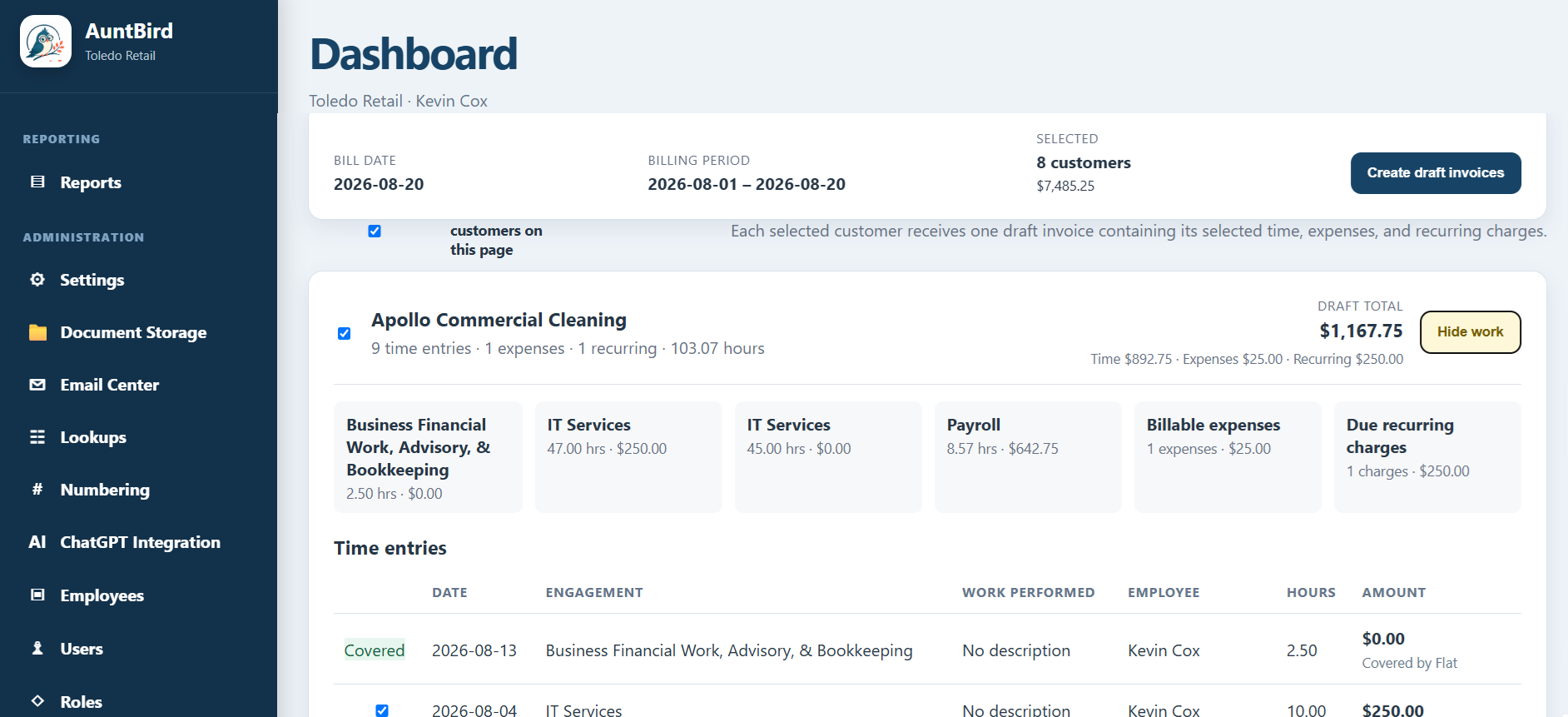
AuntBird Billing Workbench brings customer time, billable expenses, recurring charges, WIP, and draft totals together so accounting firms can review what is ready to bill before creating invoices.

AuntBird Billing Workbench showing customer time, expenses, recurring charges, and draft invoice totals
$149/month

Unlimited users and unlimited clients in one connected practice management workspace.

Get started

Review billing by customer before creating the invoice

The Billing Workbench groups eligible work by customer so the billing reviewer sees the complete picture before creating a draft. Time entries, billable expenses, recurring charges, engagement totals, hours, and the expected invoice amount remain visible together.

This customer-first workflow is designed for firms that want more control than an automatic invoice run but less manual work than rebuilding billing detail in spreadsheets. Review a batch, select the customers that are ready, and create draft invoices for further review.
Built for day-to-day firm operations

Start with WIP visibility, then move directly into billing

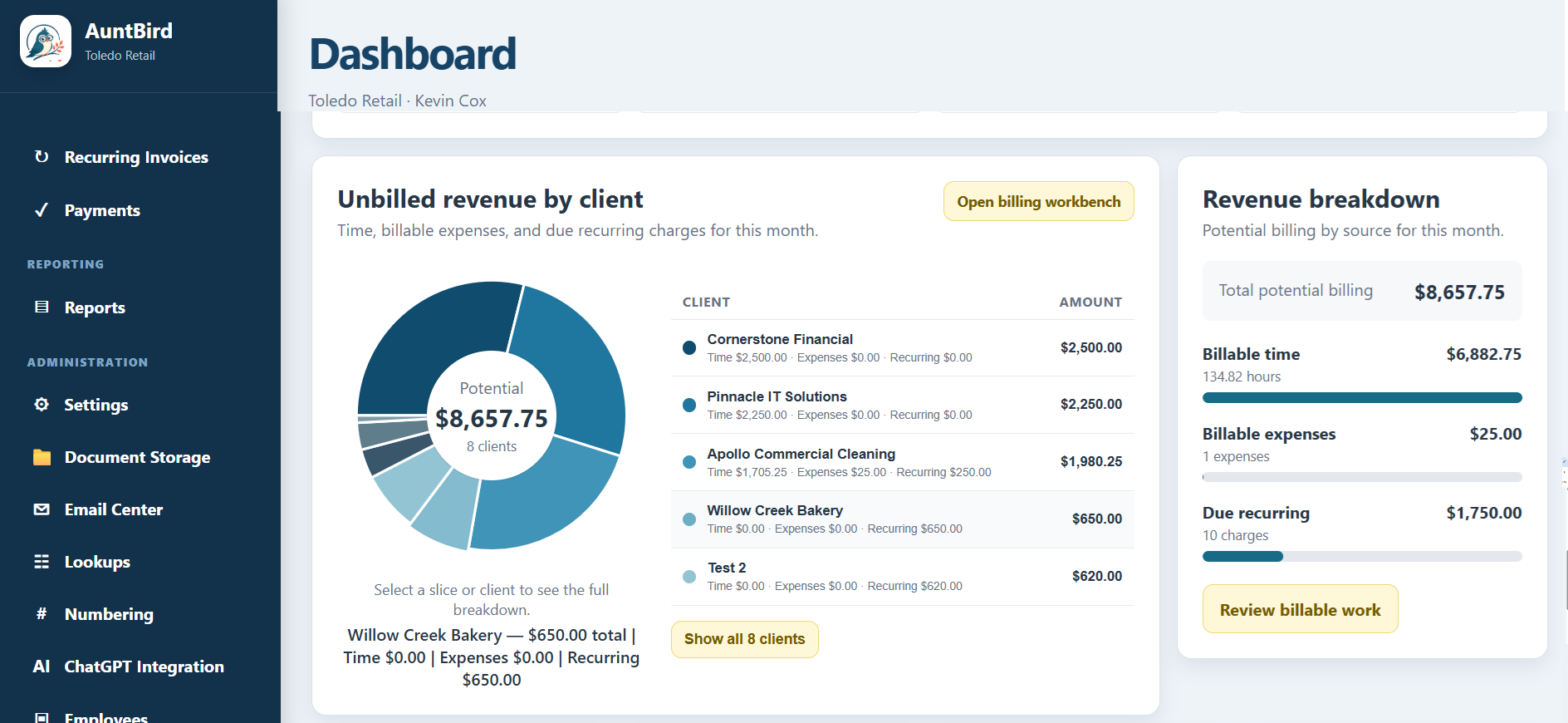
AuntBird can surface unbilled revenue by client before the billing run. That makes it easier to spot large balances or unusual revenue concentration and then open the Billing Workbench with the operational detail needed to decide what should be invoiced.

Customer-first review

Billing is organized around the customer, allowing reviewers to see the work that will become one draft invoice rather than processing disconnected entries one at a time.

Preserve the source detail

Time, expenses, recurring charges, and engagement context stay visible during review so the draft amount can be understood before it becomes an invoice.

Batch without losing control

Select the customers that are ready and create drafts in batches while leaving other work available for later review.

AuntBird dashboard showing unbilled revenue by client and the sources that feed the Billing Workbench

Connected practice management

AuntBird connects dashboard visibility, employee activity, time, billing, invoices, payments, and reporting so information can move through the practice without being recreated in separate spreadsheets.

Designed for accounting and professional services firms

CPA firms, bookkeeping practices, tax professionals, advisory firms, and other client-service businesses can use AuntBird to keep billable activity, WIP, invoices, collections, and team performance visible from the same operating system.

Frequently asked questions

Questions about Billing Workbench & WIP

What is WIP in an accounting firm?

Work in progress, or WIP, generally refers to client work and other billable activity that has been recorded but has not yet been invoiced.

What does AuntBird include in the Billing Workbench?

The Workbench can bring together eligible time, billable expenses, recurring charges, engagement information, hours, and expected draft totals by customer.

Does the Workbench automatically issue invoices?

The workflow is designed to create draft invoices first, giving the firm an opportunity to review billing before an invoice is issued.

Can I bill customers in batches?

Yes. The Workbench supports selecting customers and creating multiple draft invoices while keeping the review organized around each customer.

See the workflow in your own firm.

AuntBird is $149 per month with unlimited users and unlimited clients.

Start an account